A quiet file manager for your Mac.
Cubby is a small, fast Finder replacement for everyday browsing, organizing, and moving files. It opens huge folders in a blink, splits a window into up to four panes, and never leaves a .DS_Store behind.
brew install grahamotte/tap/cubbyFree and open source. Version 0.7.1, for macOS 27 or later. Signed and notarized by Apple.
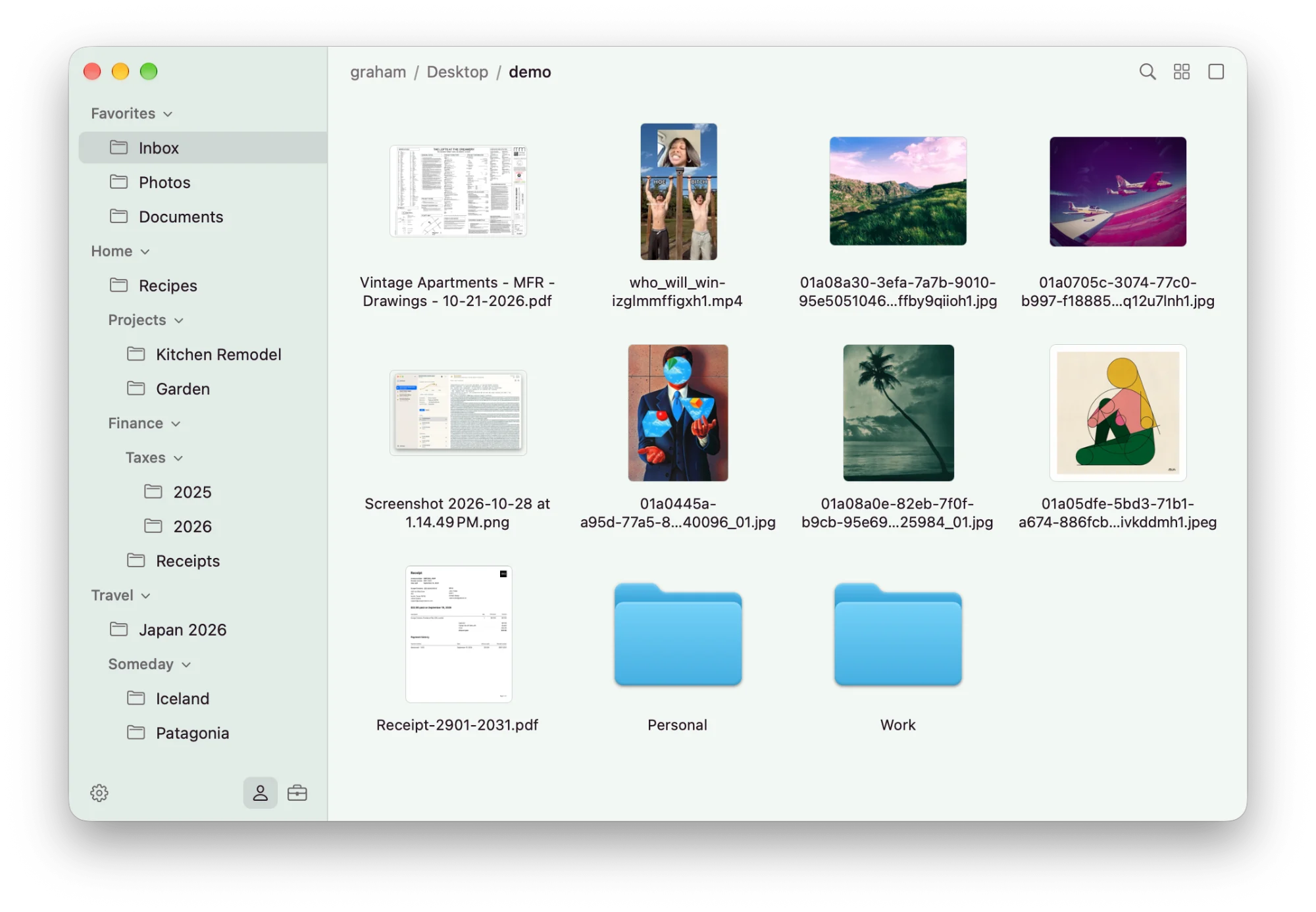
The everyday things, done well
Cubby does fewer things than Finder, and it's built to do them quickly and stay out of the way.
Fast on huge folders
Folders with 100,000 or more items open in a fraction of a second.
Up to four panes
One pane, side by side, stacked, three, or four. Each pane browses on its own, so you can drag files between them.
⌥⌘1–⌥⌘5List, icons, or columns
Folders expand in place in the list. List and icon views show Quick Look thumbnails, and Space opens Quick Look.
⌘1⌘2⌘3Folders remember their view
Each folder keeps its own view, sort, and icon size, even after you rename or move it. Panes remember where you were scrolled.
A sidebar you arrange
Folders in groups that nest. Drag to add and reorder, and drop files on a folder to move them there. Hold ⌥ to copy.
Filter as you type
Narrow the current folder to what you're looking for, or jump anywhere with Go to Folder.
⌘F⇧⌘GThe basics, with undo
Copy, paste, rename, duplicate, compress, and Move to Trash work the way you expect from Finder, and every one can be undone.
⌘Z
Your folders stay yours
Cubby never writes .DS_Store or any other file into the folders you browse.
Its own settings live in ~/.config/cubby as plain JSON. Edit config.json by hand and Cubby picks up the change the moment you save.
{
  "appearance": "system",
  "showHiddenFiles": false,
  "terminal": "Terminal",
  "profile": 0,
  "profiles": [
    {
      "name": "Personal",
      "icon": "person",
      "theme": "grove",
      "sidebar": [
        {
          "group": "Favorites",
          "items": [
            { "folder": "~/Inbox" },
            { "folder": "~/Photos" },
            { "folder": "~/Documents" }
          ]
        }
      ]
    }
  ]
}
Give Cubby a try
Install with Homebrew, then update with brew upgrade.
brew install grahamotte/tap/cubby